We are definitely an Apple household. We both have iPhones (I have the newest 11 Pro) and some form of computer. I chose the MacBook Pro and got Rhi the iMac as she was still in middle school when purchased. I’m debating on a laptop version for her now as the three year plan is in effect and college admissions will be upon us before we know it. We also have Apple TV in a couple rooms and an iPad that has made it to iOS 9.3.6. Impressive right! And let’s not forget our Apple Watches. Health and fitness are important to us (although not done daily), as we want to live our lives to the fullest. And I think it’s working as I’ve been asked multiple times at the Doctor’s office where my mother is to sign consent papers for MY daughter.
I share all of this to say, yes we love our Apple products! They can be pricey at times, so using them to the full potential is a must.
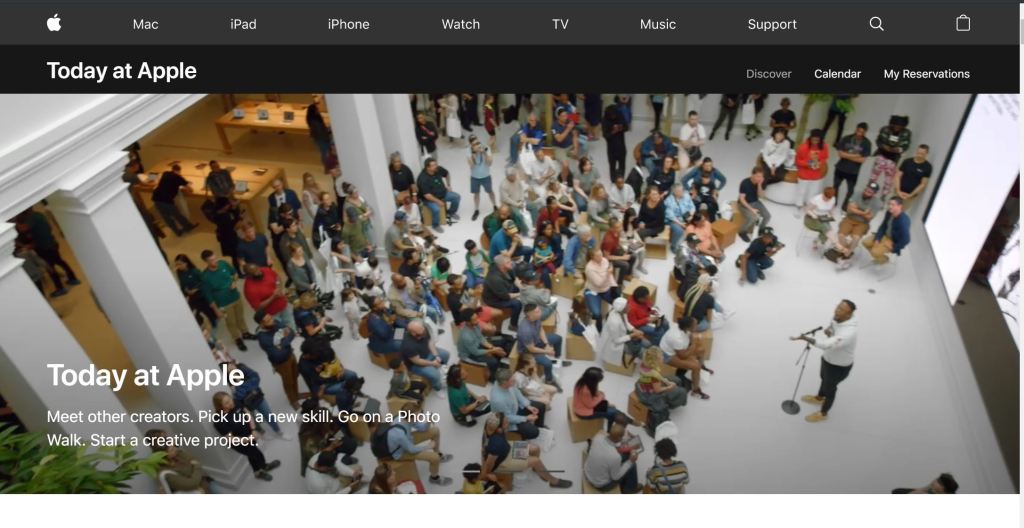
But I bet you didn’t know that Apple also offers classes at their Apple Stores. Recently rebranded as #TODAYATAPPLE sessions, you can learn about Photography, Video, Music, Coding & Apps, Art & Design, Health & Fitness, and basic information on Apple products.
We recently attended a class from the video section. Creating Cinematic Shots was everything we wanted and more than we excepted. Shoutout to our amazing instructor Jim for his knowledge and making the almost hour long event one that we felt comfortable to let our introverted sides take a break from life. The session began with a short slide show introducing terms and teaching hidden tools in the camera app. Then it it got wild. We went into the mall and walked around taking shots using what was learned during the earlier slide show.
After taking wide shots and close ups, and using slow-mo and time-lapse, we went back to the Apple store and learned about iMovie. Rhiyan has used iMovie for some class assignments that I thought were amazing. She took the lead on this part of the class which is helpful as I’m still learning.
iMovie is Apple’s traditional movie editing software. It comes preloaded on the majority of Apple products so no need to feel there’s another app you have to purchase. The software on the iMac/MacBooks have more options than the phone. And as iOS keeps improving I’m sure the options will continue to grow. If you feel you’re beyond the iMovie software, Final Cut Pro might be your next step. We’ve watched YouTube videos with this editing and although we’re not at this level yet, it seems cool and something to aspire to.
Overall we had a great time. Jim even let us use some cool toys to get the perfect shots as well. And more likely, I’m going back to purchase it soon. The DJI Osmo Mobile 3 was impressionable from the moment it turned on. It stabilizes but also has an app that will allow you to do more tricks. Our favorite was the tracking tool. Once a person is locked in, it will follow you as long as it’s activated. This will be great for beach shots and upcoming destination trips. And surprisingly it wasn’t that expensive. I would’ve walked out of the store with it that day if I wasn’t so OCD about my budget sheets.
If you’re interested in learning more about ways to use all of the Apple products you have in your possession, we highly recommend registering for a #TODAYATAPPLE session.
~Kelli
 Mommy Daughter Adventures